

If you’re looking for a clear and beginner-friendly guide on how to remove Pinterest boards, you’re in the right place. Whether you’re cleaning up outdated content, reorganizing your profile, or refining your Pinterest strategy, knowing how to properly manage your boards is an essential skill for every creator.
Pinterest is more than just a place to save beautiful ideas — it’s a powerful marketing platform for bloggers, content creators, and business owners. Your boards act as the backbone of your Pinterest profile, helping you organize pins in a way that makes it easy for users to discover, browse, and engage with your content.
Well-structured boards with clear, relevant names not only improve user experience but also make your profile look more professional, focused, and strategic.
In this guide, you’ll learn exactly how to remove Pinterest boards step by step, along with practical tips to keep your boards organized and aligned with your current content goals.
You may also like to read;
How to create Pinterest boards?
How to hide a pin on Pinterest.
How to delete Pinterest messages.
How to delete Pinterest board sections.
How to delete boards on Pinterest.
How to Remove Pinterest Boards
Here is a step-by-step guide to remove Pinterest boards on desktop or mobile.
How to Remove Boards on Pinterest on a Desktop:
If you want to remove boards on Pinterest, then you can follow the steps mentioned below on a desktop.
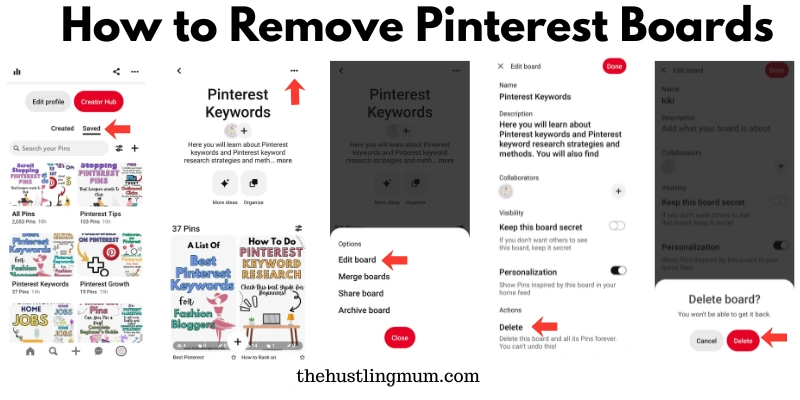
Go to the home page of your Pinterest profile.
Select the saved option, given under your bio.
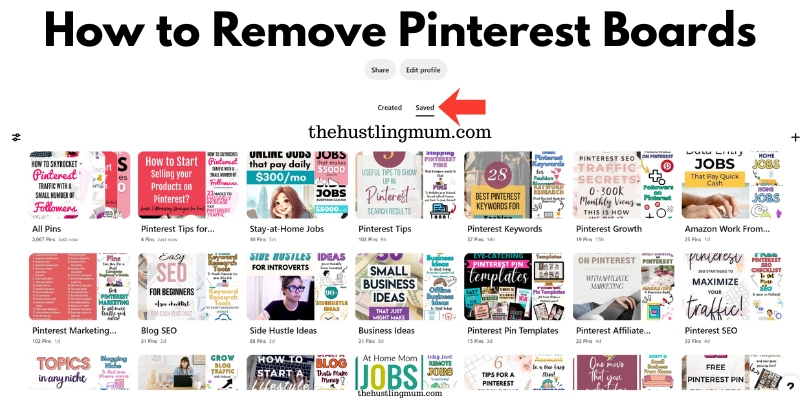
The next step is to select the board that you want to delete.
Then click on the three dots just next to the name of the board.
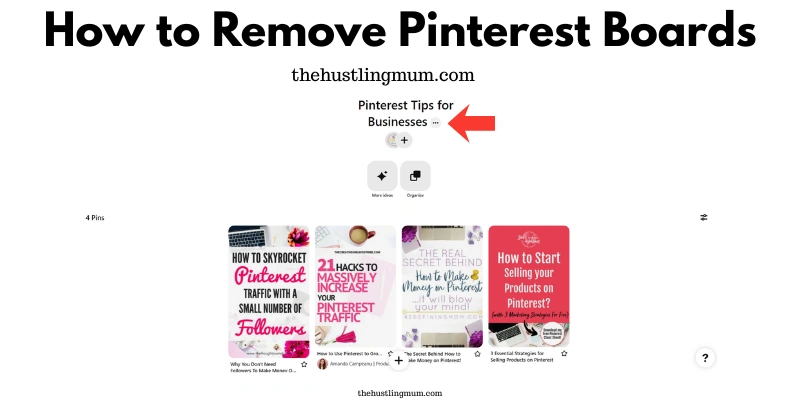
Click on the edit board.
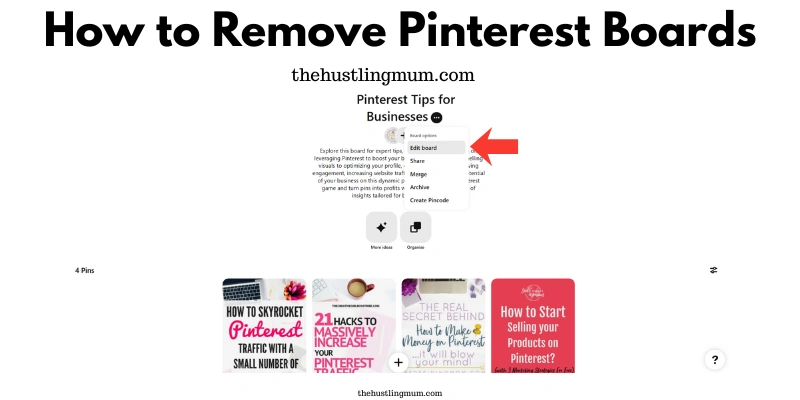
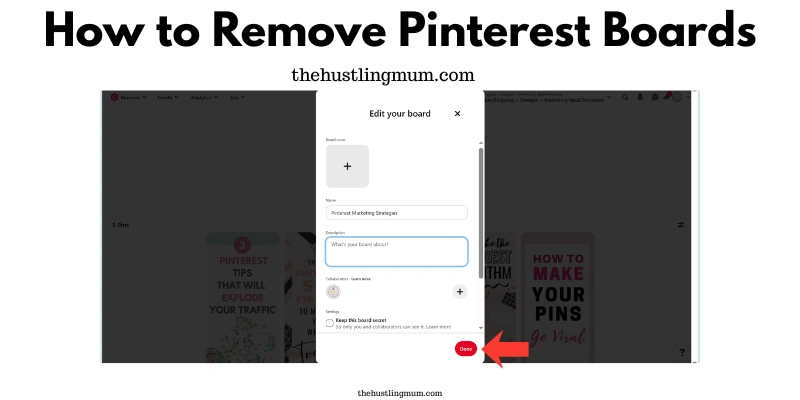
Scroll down, select delete board, and click done.
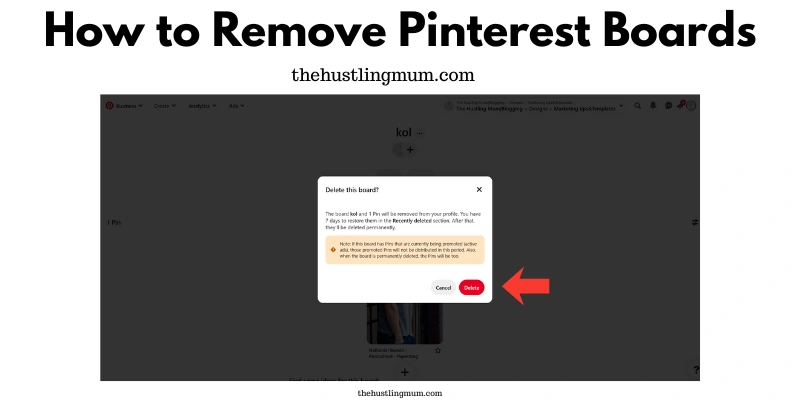
A new window will open, and you will be asked if you are sure to delete the board. If you want to remove the board, click on delete, and your board will be deleted. If you don’t want to remove the board, click cancel.
How to Remove Boards on Pinterest on a Mobile
If you want to remove the Pinterest boards using a mobile device, follow the steps below.
Open the Pinterest app on your mobile device.
Go to your profile.
Select the saved option, given under your Pinterest bio.
Then select the board that you want to delete.
Click on the three dots next to the board name.
Select edit board.
A new window will open, click on delete.
You will be again asked if you want to delete the board. So, if you want to remove the board, press delete. Now your board will be deleted. If you don’t want to delete the board on Pinterest, press cancel.
Final Word
Pinterest boards are the foundation of a well-organized and effective Pinterest profile. They help structure your content, make it easier for visitors to discover the right pins, and play a key role in improving your overall Pinterest SEO. Keeping your boards relevant and up to date ensures your profile stays clear, professional, and aligned with your current content strategy.
Now that you understand how to remove Pinterest boards, you can confidently clean up outdated or unnecessary boards on both desktop and mobile devices using a few simple steps. Managing your boards regularly helps improve user experience and keeps your Pinterest presence focused and intentional.
If you ever remove a board by mistake, remember that Pinterest allows you to restore deleted boards within 7 days — so you still have time to recover important content if needed. You can also consider archiving boards instead of removing them when you want to keep content saved without displaying it publicly.
Have you tried learning how to remove Pinterest boards, or faced any challenges while managing your boards? Share your experience or questions in the comments — I’d love to hear from you and help you out.
Pin this post and share it with your friends.
Related Posts:
How to archive and unarchive your boards on Pinterest?
How to delete all pins on Pinterest?
How to make a Pinterest board public.
How to make a board private on Pinterest.
Pinterest group boards- A beginner’s guide.


I am a passionate blogger who loves sharing insights on blogging tips, Pinterest strategies, and making money online. With a knack for simplifying complex concepts, I help readers grow their online presence and achieve their Pinterest marketing goals. Follow along for practical advice and proven tactics to elevate your blog, Pinterest and online business.