

So, you’ve been curating the perfect Pinterest board in private—collecting your favorite outfit ideas, home decor inspo, or dreamy travel pins—and now you’re finally ready to share it with the world.
Whether it’s a vision board you’re proud of or a creative project you want others to see, making your private Pinterest board public is the perfect way to inspire others while showcasing your unique style.
The process is super simple, but before you flip that switch, it’s worth knowing what happens when you make a private board visible to everyone.
In this post, I’ll walk you through exactly how to do it, along with a few tips to make sure your board looks polished, cohesive, and ready for the spotlight.
You may also like to read:
How to make Pinterest boards private.
How to merge Pinterest boards.
How to delete boards on Pinterest.
How to archive boards on Pinterest.
How to Make a Pinterest Board Public
If you desire to make your private Pinterest board public, just follow the simple steps given below.
Go to your Profile.
Select the private board that you want to make public.
Click on the three dots.
From the drop-down menu select ” edit board”.
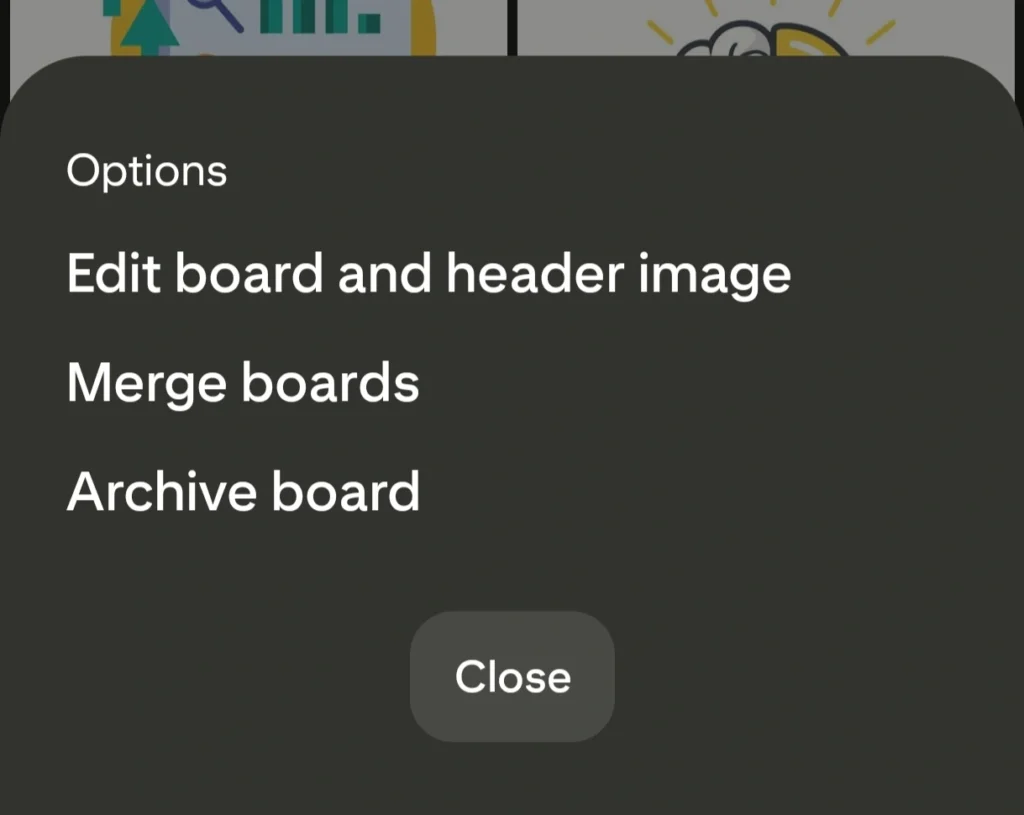
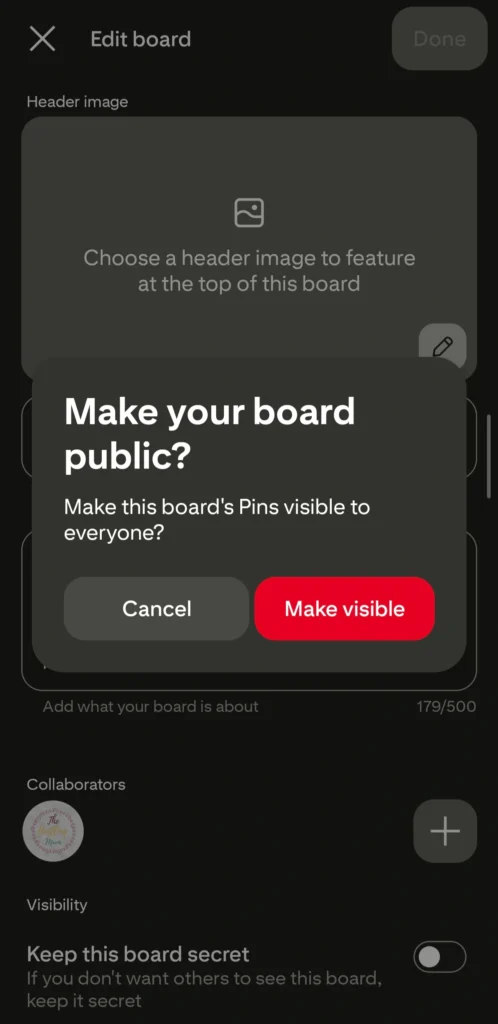
Your “keep your board private” option will be toggled on; toggle it off. Then a message will pop up for confirmation.
Click on Make visible. This way your Pinterest board will become public.
If you have a Pinterest business account, any new board you create, or any old board you haven’t made private intentionally, is public by default.
Final Word
Turning your private Pinterest board public is like opening the door to your creative world—inviting others to explore what inspires you. Whether it’s a space for your favorite recipes, fashion looks, or design ideas, sharing your board can help you connect with like-minded people and even grow your Pinterest presence.
So go ahead—make that board public and let your creativity shine. You never know who might discover your ideas, fall in love with your aesthetic, or get inspired by what you’ve pinned. Your Pinterest board deserves to be seen.
Pin this post and share it with your friends.
Related posts:
How to make Pinterest boards private.
How to merge Pinterest boards.
How to delete boards on Pinterest.
How to archive boards on Pinterest.

I am a passionate blogger who loves sharing insights on blogging tips, Pinterest strategies, and making money online. With a knack for simplifying complex concepts, I help readers grow their online presence and achieve their Pinterest marketing goals. Follow along for practical advice and proven tactics to elevate your blog, Pinterest and online business.