

If you’ve been wondering how to post on Pinterest and actually use it to grow your blog or business, you’re not alone. Many people sign up for Pinterest thinking it’s just another social media platform — but it’s so much more than that.
Pinterest is a visual search engine. People don’t come here just to scroll. They come to search for ideas, solutions, tutorials, products, and inspiration.
That means your content has the potential to show up in search results long after you publish it. Unlike other platforms where posts disappear within hours, Pinterest content can drive traffic for months — even years.
For bloggers and business owners, this is powerful. When you learn how to create a pin on Pinterest strategically, you’re not just posting pretty graphics. You’re building a long-term traffic source.
But here’s the key: Pinterest SEO and marketing matter. The right keywords, optimized titles, thoughtful descriptions, and consistent posting can make the difference between a pin that gets ignored and one that brings steady clicks to your website.
In this guide, I’ll walk you through exactly how to post on Pinterest, how to pin on Pinterest the right way, and how to use it intentionally to grow your brand with confidence.
How to Post a Pin on Pinterest
Now that you understand why Pinterest is so powerful, let’s talk about the practical part — how to post on Pinterest step by step.
Posting a pin is simple. But posting a pin that actually gets traffic? That requires intention. When learning how to create a pin on Pinterest, always remember that Pinterest reads your keywords to understand your content. So don’t just upload a pretty image. Optimize it.
You may also like to read:
How to design a perfect Pinterest pin.
How to write the best Pinterest pin title?
Tips for writing an Seo optimized Pinterest pin description.
Let’s break it down for both desktop and mobile.
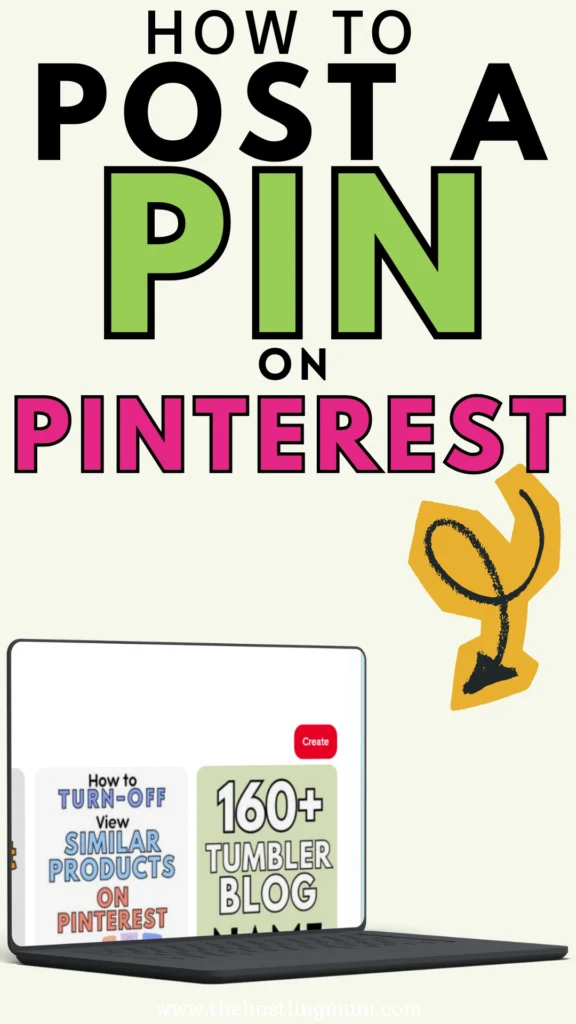
How to Post on Pinterest on Desktop
If you’re working from your laptop or computer, here’s exactly how to pin on Pinterest:
Log in to your Pinterest account.
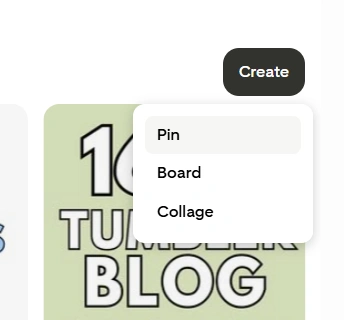
Click on the Create button at the top of your screen.
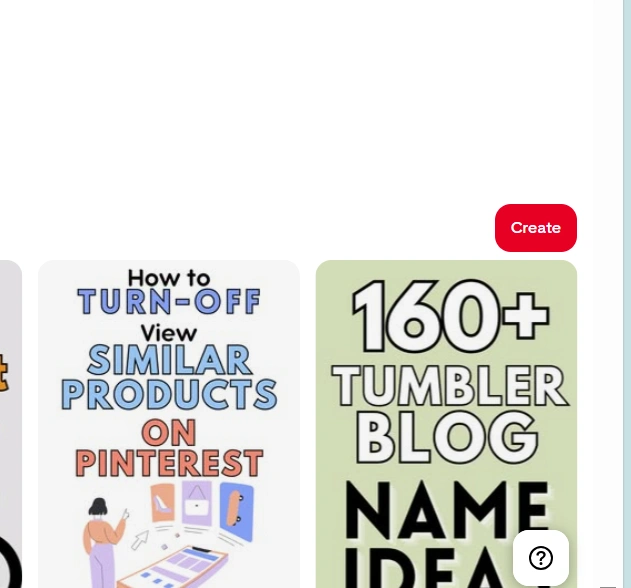
Select pin.
Upload your vertical pin image (Pinterest prefers a 2:3 ratio).
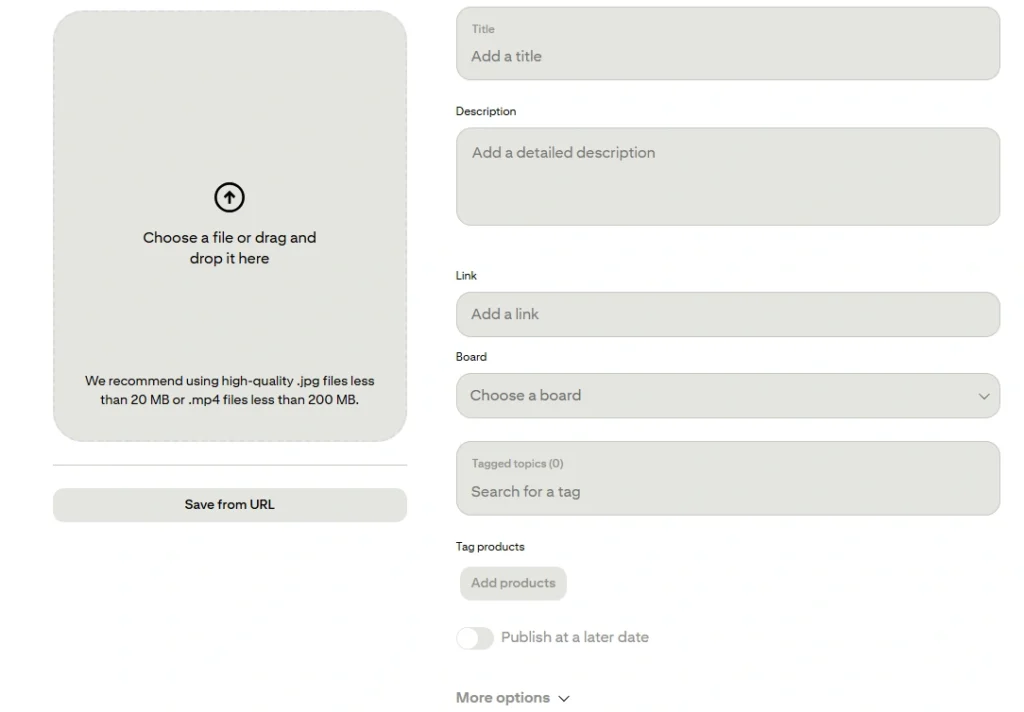
Add a keyword-rich title.
Write a detailed description using relevant keywords naturally.
Add your destination URL (this is how you drive traffic to your blog or business).
Choose the most relevant board.
Add tags or related topics to help Pinterest categorize your pin
You can also click on “more options” to allow or disallow showing similar products. You also add Alt text for your pin image here.
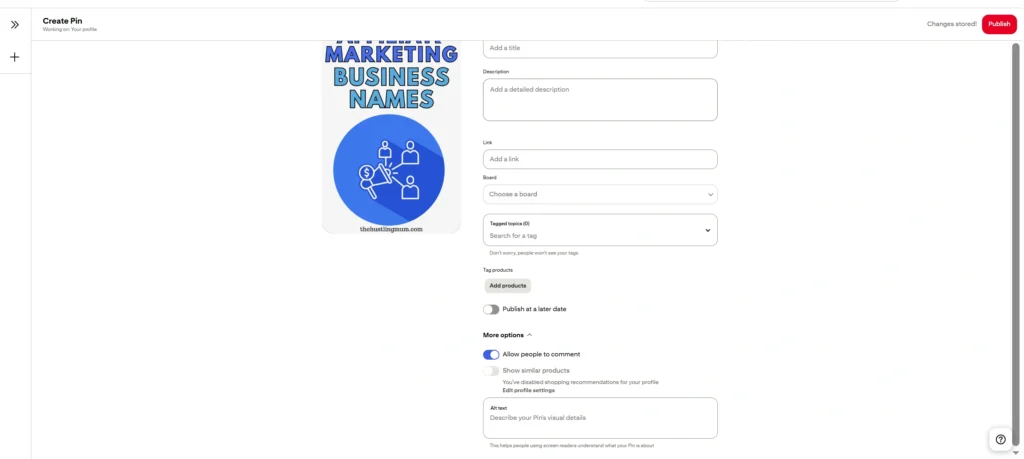
Once you are done, click Publish.
That’s it. Your pin is now live. You can also schedule it for a later date.
Quick tip: Before publishing, double-check your link. So many beginners forget this step, and that means losing valuable traffic.
How to Post on Pinterest on Mobile
If you prefer using your phone, here’s how to post on Pinterest through the app:
Open the Pinterest app and log in.
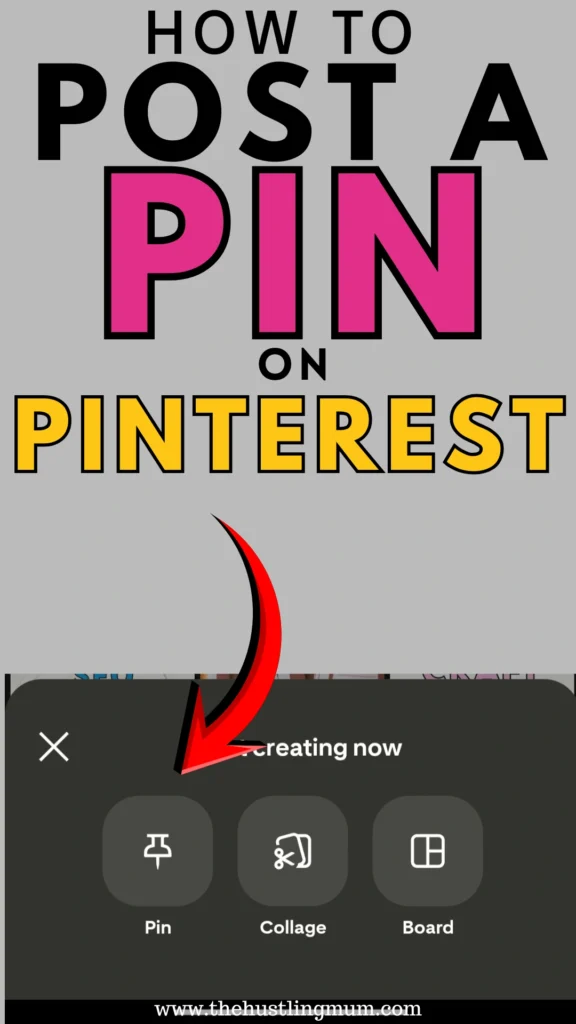
Tap the + icon at the bottom of your screen.
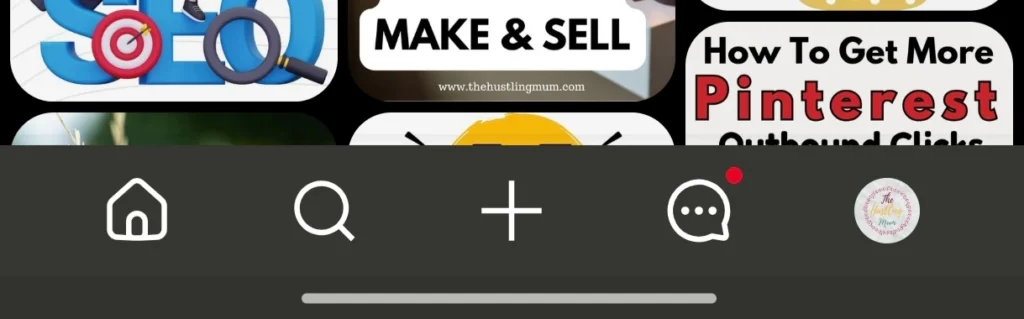
Select Pin.
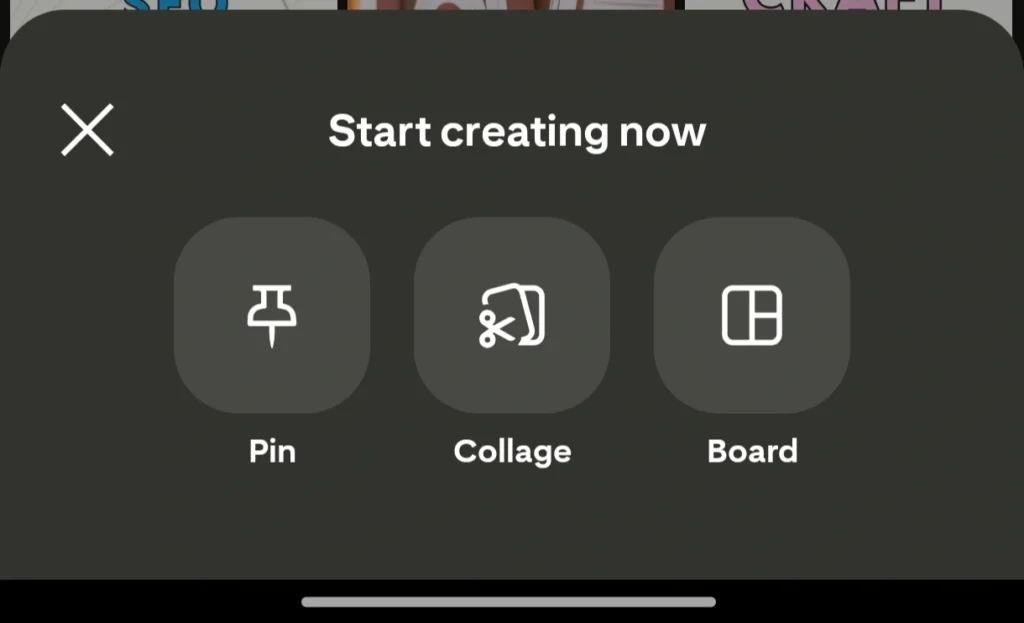
Upload your image from your gallery.
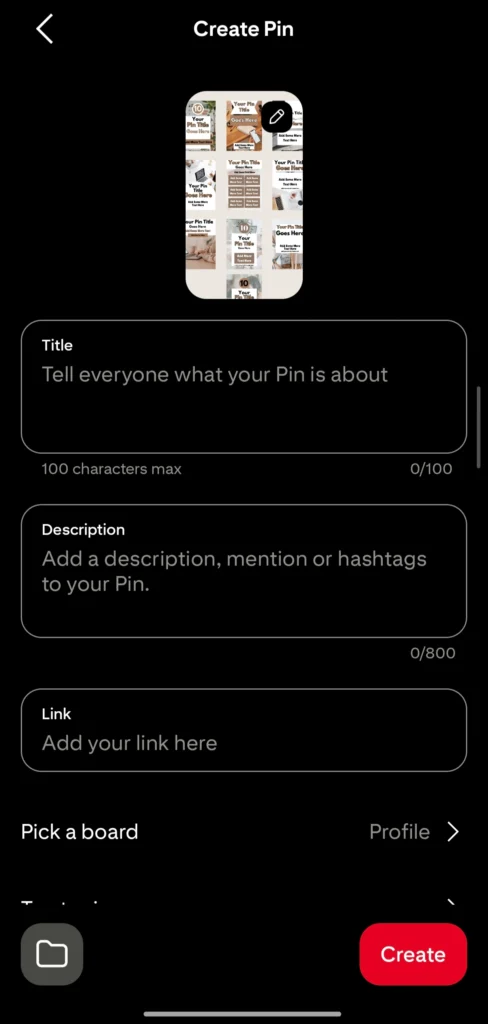
Add your title.
Write your description with keywords included naturally.
Insert your website URL.
Choose the appropriate board.
Add related topics to help Pinterest categorize your pin.
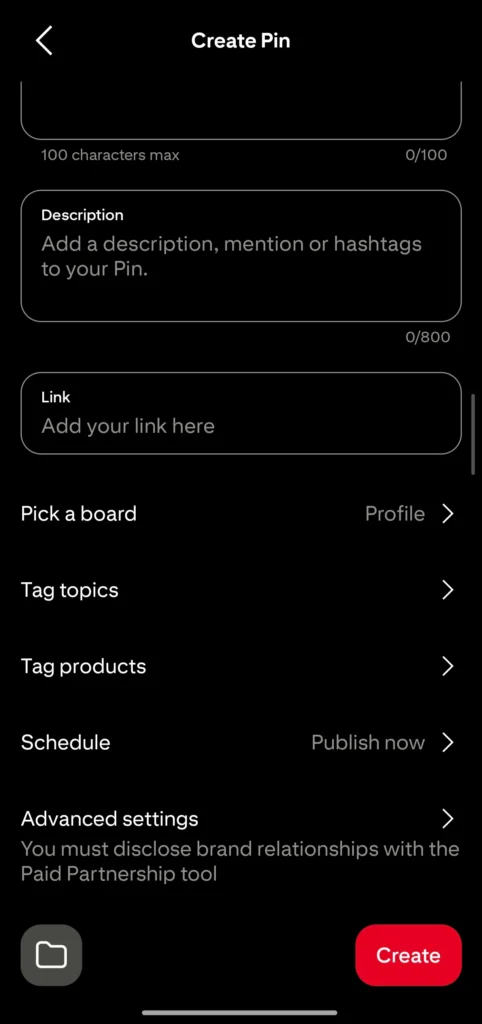
You also tag products if you want to.
You can schedule it for a later date and click save.
If you want to publish instantly, tap on create. Your pin will be published.
The process is nearly the same as desktop. The key difference is just the layout.
Whether you’re posting from desktop or mobile, the essentials remain the same:
Strong image. Clear title. Optimized description. Working link.
That’s how you truly master how to post on Pinterest strategically.
How Many Pins to Post in a Day
This is one of the most common questions I get.
And here’s the honest answer: it depends on you.
There is no magical number that guarantees success. What matters most is consistency. Pinterest rewards accounts that show up regularly. So instead of focusing on posting as much as possible, focus on what you can maintain long-term.
If you have a brand-new account, start small. Begin with 3 pins per day. Once you’re comfortable and have more content ready, increase it to 5 pins daily.
As your content library grows, you can slowly move to 10 pins per day. Over time, if you have enough high-quality content and fresh URLs, you may even post 15 or 20 pins daily.
But from my experience, avoid posting more than 30 pins per day. There’s no need to overwhelm the platform. Don’t spam Pinterest. Quality always beats quantity.
Another very important strategy is creating fresh content consistently. Pinterest favors new URLs. That means publishing new blog posts, new landing pages, new product pages, or updated content regularly. Fresh content signals value to Pinterest.
If you keep sending users to the same link over and over without variation, growth can slow down. So keep creating. Keep improving. Keep offering new value.
Final Thoughts
Learning how to post on Pinterest is simple. But learning how to use Pinterest intentionally is what changes everything.
Remember, Pinterest is a visual search engine. That means SEO matters. Keywords matter. Consistency matters. Fresh content matters.
When you understand how to pin on Pinterest the right way — with optimized titles, thoughtful descriptions, and strategic links — you’re not just posting. You’re building a traffic system.
Start small if you need to. Stay consistent. Focus on helping your audience. And keep creating new, valuable content.
Pinterest growth doesn’t happen overnight, but when it starts working, it can bring steady traffic to your blog and business in the most beautiful, sustainable way.
Pin this post and share it with your friends.
Related posts:
How to write a click-worthy Pinterest pin title.
Pinterest analytics for beginners.


I am a passionate blogger who loves sharing insights on blogging tips, Pinterest strategies, and making money online. With a knack for simplifying complex concepts, I help readers grow their online presence and achieve their Pinterest marketing goals. Follow along for practical advice and proven tactics to elevate your blog, Pinterest and online business.